

 Live
Live
LIVE
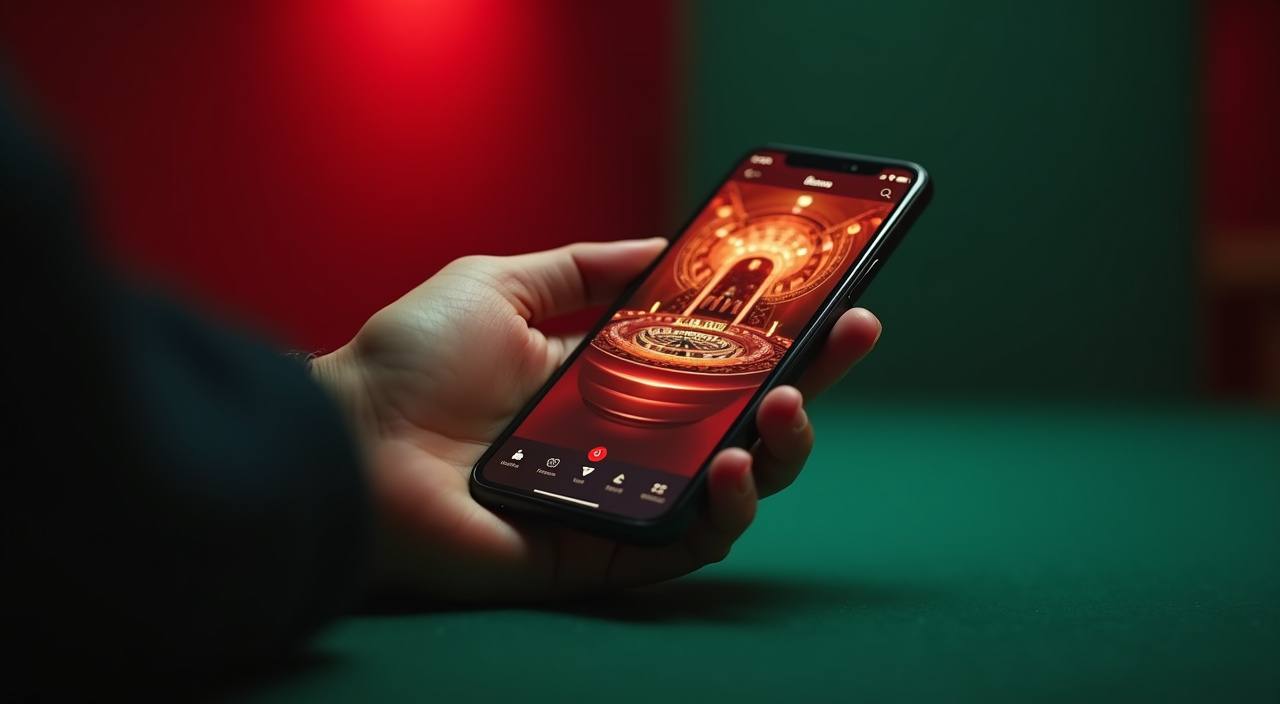
 Slots / Mobile
From Spadegaming and Habanero slot rooms to live dealer tables and football markets covering Liga 1 and European fixtures, your full catalog is one tap away — available where local law permits. OVO, DANA, and LinkAja sit ready in your account wallet the moment you sign in.
Rather than listing fixed schedules here, we point you straight to the source: open your account dashboard after login and the current state of any information is shown there in real time. What you see reflects your account tier and the options available in your region. We keep the dashboard updated so you're always looking at live information, not a static page.
Our catalog is organized so you can move between categories without backtracking — live casino tables, slot rooms, and sportsbook markets are each one tap from the main menu. RTP figures are shown only where the game or provider makes that data available in the lobby.
Three local payment rails are wired directly into your spinwill account: OVO, DANA, and LinkAja. Each one connects through the standard e-wallet flow you already use — open the deposit screen, select your preferred method, enter the amount within the limits shown in your account, and confirm from your wallet app. Bank Transfer is also available if you prefer a direct account-to-account route.
Connect your OVO wallet directly from the deposit screen. Select OVO, enter your amount within the account limits shown, and confirm in the OVO app. Your transaction record updates in the account history as soon as the move is confirmed on both ends.
DANA deposits follow the same straightforward flow: open the wallet section, pick DANA, set the amount, and approve in your DANA app. The deposit screen shows the current limits for your account tier before you commit, so there are no surprises mid-transaction.
LinkAja is available for both deposits and withdrawals. The process mirrors the other e-wallet routes — pick LinkAja on the payment screen, enter the amount, and complete the step in your LinkAja app. Status updates appear in your account history automatically.
Prefer a direct bank route? Select Bank Transfer on the deposit or withdrawal screen and follow the account details and reference number shown. The reference number is important — it links your transfer to your spinwill account so the credit applies correctly.
The live casino section organizes tables by game type first — baccarat, blackjack, roulette — and then by stake range. Live Baccarat Diamond and Live Blackjack Gold both sit in the mid-to-upper stake tier; their table cards show the current dealer, open seat count, and the minimum and maximum bet for your account before you click in.

A mid-to-upper stake live dealer blackjack table with seat availability shown before you join. The table card in the lobby displays open seats and the current bet range. Standard blackjack rules apply; the dealer feed is real-time with no simulated elements. Available on desktop and mobile in landscape mode for the clearest view of the card layout.
Multiple seating options with a full card view on both desktop and mobile. The Diamond tier means a dedicated dealer feed rather than a shared multi-seat stream, so the visual quality is consistent. Bet range for your account tier is shown on the table card. Player and banker history is displayed on screen throughout the session.
The spinwill lobby is laid out for a mobile-first browsing pattern. Game category tabs sit at the top of the screen in a horizontal scroll rail — you swipe across to move between slots, live casino, sportsbook, and arcade without hunting for a menu. Each category opens into a vertical card grid where game covers are large enough to read and tap accurately.
Slot rooms, live tables, sportsbook and arcade are each one swipe across the top tab rail. The layout is designed so your thumb reaches every category tab from a standard phone grip, and the active tab stays visible as you scroll down into the game grid below it.
Each game card in the grid is sized for accurate tapping on a 6-inch screen. The card shows the game cover, the studio name where available, and a small RTP badge where the provider exposes that data. A single tap opens the game; a long press surfaces a quick-info overlay without leaving the grid.
Your current balance and a shortcut to the deposit screen sit in the persistent navigation bar at the bottom. OVO, DANA, and LinkAja balances are shown as line items so you can see which wallet you last used. The bar stays fixed as you scroll, so you never lose access to the deposit flow mid-session.
The spinwill lobby is laid out for a mobile-first browsing pattern. Game category tabs sit at the top of the screen in a horizontal scroll rail — you swipe across to move between slots, live casino, sportsbook, and arcade without hunting for a menu. Each category opens into a vertical card grid where game covers are large enough to read and tap accurately.
Slot rooms, live tables, sportsbook and arcade are each one swipe across the top tab rail. The layout is designed so your thumb reaches every category tab from a standard phone grip, and the active tab stays visible as you scroll down into the game grid below it.
Each game card in the grid is sized for accurate tapping on a 6-inch screen. The card shows the game cover, the studio name where available, and a small RTP badge where the provider exposes that data. A single tap opens the game; a long press surfaces a quick-info overlay without leaving the grid.
Your current balance and a shortcut to the deposit screen sit in the persistent navigation bar at the bottom. OVO, DANA, and LinkAja balances are shown as line items so you can see which wallet you last used. The bar stays fixed as you scroll, so you never lose access to the deposit flow mid-session.
The spinwill lobby carries content from Spadegaming, Habanero, JDB, Microgaming. To check the studio, rules or features of one specific game, open that game card or the published information panel.
Getting from the registration screen to an active session takes a small number of straightforward steps. The account creation form asks for your email address, a password, and the region you're accessing from.
Open the account creation page and fill in your email, a secure password, and your region. A confirmation link arrives by email — click it to activate. The link expires after a short window shown in the email, so complete the step while you have it open. No app download is needed to register; the form works in your phone browser.
After your first login, head to the wallet section and select your payment method. For OVO, DANA, or LinkAja, enter your registered mobile number and complete the verification step the wallet app sends you. Bank Transfer is added separately through the banking tab. Your connected methods appear as a list in the wallet section for future deposits.
Select your connected method on the deposit screen, enter your amount within the limits shown, and confirm. For e-wallets, the approval step happens inside the OVO, DANA, or LinkAja app. The deposit screen shows the expected processing window before you submit. Once confirmed, your balance updates in the navigation bar and the full catalog opens.
With a confirmed balance, every category in the lobby is available: slots, live casino, sportsbook, and arcade. Use the category tabs at the top to navigate, or search by game name. Your wallet balance and a shortcut back to the deposit screen stay visible in the navigation bar throughout your session so you can top up without leaving a game.
Support at spinwill runs through three channels: live chat, email, and the self-serve help center. Live chat is the fastest route for account questions — the chat icon sits in the bottom-right corner of every page including the lobby, wallet, and deposit screens. Email is better for document-heavy requests, such as account verification or transaction disputes where you need to attach a file.
The live chat icon is in the bottom-right corner of every page. It's the fastest route for account access questions, deposit issues, or any situation where you need a quick answer during an active session. Start by describing the issue and your account email — the agent can pull your account record from there and resolve most questions without escalation.
Use email for requests that need a file attachment — identity verification documents, transaction screenshots, or a dispute where context matters. Write to our support address shown on the contact page. Include your registered email and the transaction reference number from your account history if the issue is payment-related. Response times vary and are shown on the contact page.
The self-serve help center at spinwill is searchable and organized by topic: account setup, wallet and payments, game categories, and regional access. Most common questions about OVO, DANA, and LinkAja deposits and withdrawals have dedicated articles with screenshots of the actual account screens. Start here for fast answers outside of live chat hours.
spinwill provides account-level controls so you can manage your own activity. Session history, transaction records, and current balance are visible at any time from the account screen — no need to contact support to see what you've spent or deposited.
Every deposit and withdrawal is logged in your account history with a reference number, timestamp, method used, and status. You can access this from the wallet section at any time. If a transaction is showing an unexpected status, the reference number is what our support team needs to investigate — copy it before you start a chat.
Personal limit options are available in the account settings section after you log in. The settings page describes each control and how to apply it. Changes to limits take effect according to the timeline shown on the settings screen. We keep this process inside the account rather than requiring a support ticket, so you're in control of the adjustment.
Your current session activity — active games, open bets on the sportsbook, and wallet balance — is visible from the account overview screen. Closing a game returns you to the lobby with your balance updated. There's no hidden state: what you see in the account overview is the real-time picture of your session across all categories.
spinwill is available where local law permits. Eligibility depends on your region and the regulatory status in your jurisdiction at the time of access. The account creation screen and the terms page describe the regions where the platform operates. If access is restricted in your area, the account screen will reflect that with the applicable notice.
The lobby uses terms from live casino, slots, sportsbook, and arcade formats. Here are plain definitions for the ones that come up most often when browsing the catalog.

RTP stands for Return to Player — it's a percentage figure published by the game studio that describes the theoretical average return over a very large number of rounds. It does not predict what any individual session will pay. In the spinwill lobby, RTP is shown in the game info panel only where the studio makes the data available.
A bonus round is a feature built into a slot game that triggers under specific reel conditions — typically a set of scatter symbols landing in the right positions. Inside the bonus round, the game mechanics change: you might see a different reel layout, multipliers applied to wins, or a pick-style screen.
A handicap market gives one side a virtual head start or deficit before the match begins, which levels the odds between a clear favourite and an underdog. For example, a team with a -1. 5 handicap needs to win by two or more goals for a bet on them to pay out.
A crash game runs a multiplier that climbs from 1x upward in real time after each round starts. You place your stake before the round, and you choose when to step out and collect at whatever multiplier is showing at that moment. If you don't step out before the multiplier crashes to its end point, the round closes without a payout for that stake.
A live dealer game uses a real physical table, real cards or a real roulette wheel, and a human dealer operating on camera. You see the action on a video feed and place bets through an on-screen interface. Live Baccarat Diamond and Live Blackjack Gold in our lobby are live dealer games.
The stake range on a live table card shows the minimum and maximum bet the table accepts per round. Before you join a table in the live casino section, the lobby card displays both figures so you can match the table to your session budget.
Arcade games use interactive mechanics rather than spinning reels — you aim, shoot, or interact with moving elements on screen, and the outcome depends on which targets you hit. Each target carries a different prize value shown in the game interface. Fishing War Arcade from JDB is the primary example in the spinwill catalog.
Local lobby check
spinwill brings live casino tables, slot lobbies and sportsbook markets together with OVO, LinkAja and Bank Transfer for supported Indonesia regions
Access MOBILE GUIDEspinwill hadir lewat browser mobile kamu — akses slot, live casino, dan sportsbook dengan OVO, GoPay, atau DANA di mana pun kamu berada
Access PAYMENT GUIDEspinwill mendukung deposit dan penarikan lewat OVO, LinkAja, dan Bank Transfer. Kelola saldo akun kamu langsung dari halaman banking spinwill
Access PLAYER GUIDEspinwill menghadirkan glosarium lengkap istilah kasino, slot, live dealer, dan pembayaran OVO, GoPay untuk pemain Indonesia
AccessThese questions come up regularly from players exploring the catalog for the first time or returning after setting up their account. Short answers, with pointers to where you find the full detail inside the platform.
Read FAQ →Log in, open the wallet section, and select the deposit tab. Choose OVO or DANA from the payment method list — if you haven't connected it yet, you'll be prompted to enter your registered mobile number and complete a verification step from your wallet app. Once connected, enter the deposit amount within the limits shown on the screen and confirm.
The spinwill catalog draws content from four studios: Spadegaming, Habanero, JDB, and Microgaming. Spadegaming and Habanero cover the bulk of the slot rooms. JDB supplies the arcade-format games including Fishing War Arcade. Microgaming contributes both slot titles and live dealer table content.
Yes. The spinwill lobby runs in your phone's browser without a separate download. Open spinwill in Chrome, Safari, or your preferred mobile browser, log in, and the full catalog is available including live dealer tables, slots, sportsbook, and arcade games. The layout adapts to your screen size automatically.
Open the wallet section of your account and select the history tab. Every deposit and withdrawal is listed with the method used, the amount, a timestamp, and the current status.
The spinwill sportsbook covers Liga 1 (Indonesia's domestic league) and European club football including the Europa League, with handicap markets as the primary format for both. The sportsbook tab in the lobby shows currently available fixtures; markets update per match and are not available outside active match windows.
Three routes: live chat via the icon in the bottom-right corner of any page (fastest for active-session issues), email for document-heavy requests like verification, and the self-serve help center for common account and payment questions.
Access depends on local law and is available only where regulations in your area permit online gaming platforms. The account creation screen and the terms page describe the eligible regions in detail.
Log in and open your account dashboard. The current state of any active items on your account — including any offers tied to your tier — is shown there in real time. We don't list fixed schedules on public pages because availability varies by account and region.
Access may be available only where local law permits.